
Run every brand’s social media and support from one hive
Publish to every network and answer every message in one place, with an AI agent that never sleeps.








Planning
Scheduled · Fri 18:00
Doors open Saturday at 10. Bring a friend.
Approved by Maria
3 new comments · 1 assigned
Plan the week, then let it publish itself
Write a post once and it adapts to each network. Put it on the calendar in the brand’s timezone, send it for approval, and see the best times to post. Claude can draft posts for you through the connector, and nothing goes out until you say so.
Read more about thisScreens from the app with a demo brand. The people and numbers are made up, and the demo texts are in English.
Used every day by the teams at
 EasyBlue
 HouseLewa
 VendHype
 VersityLife
What’s inside
Everything a team that talks to people needs, in one hive
Posts, conversations, tickets, an AI agent, automation and reports share one workspace, one contact record and one bill. Nothing to stitch together.
01 Publish
Plan and publish everywhere
- A calendar, posting queues and a month of posts from one spreadsheet
- Comments, versions and approvals before anything goes out
- Evergreen posts that go out again when the queue has room
02 Inbox
Answer every conversation
- Comments, messages, email, WhatsApp and your website chat in one inbox
- Assign, tag, snooze and share saved views across the team
- WhatsApp calls answered in the same inbox
03 Support desk
Run a real support desk
- Numbered tickets with service targets in your business hours
- Skills routing, supervisor tools and approvals on tickets
- A help centre, customer ratings and quality checks
04 AI agent
Let the AI agent answer
- Answers from your files, pages and help centre, in the customer’s language
- Acts in your own systems through procedures you write
- Tested before it goes live and watched after, with alerts
05 Automation
Automate the routine
- Workflows drawn as a flow: triggers, conditions, waits and actions
- Campaigns by email, website chat, push and WhatsApp
- HubSpot and Salesforce sync, Jira and Linear issues, webhooks, an API and AI assistants
06 Results
See what worked
- Reach, engagement and the best times to post, per network
- Competitors and mentions of your brand, every day
- Support times, targets and ratings, in reports in your colours
Instead of a scheduler, a help desk, a live chat, a chatbot, an automation tool and a reporting tool.
Write it once. See it everywhere.
Type a caption and watch it as Instagram, LinkedIn and X would show it, with their limits checked as you go. This is how the composer works.
Try a long one: X stops at 280 characters, Instagram and LinkedIn fold the rest behind a link.
 vendhype

vendhypeThe weekend drop is live. Three new colours, one very limited run. Tap the link to see them all before they're gone. #sneaker… more
VendHypeThe weekend drop is live. Three new colours, one very limited run. Tap the link to see them all before they're gone. #sneakers #weekenddrop
VendHypeThe weekend drop is live. Three new colours, one very limited run. Tap the link to see them all before they're gone. #sneakers #weekenddrop
139 / 280 · fits on X
See it in action
The real app, not a mock-up. Pick an area and look closer, or click a screen to enlarge it.
Write once, adjust per network
One caption and one picture go to several networks, with each network’s limit checked and a live preview beside the text.
Read more about thisScreens from the app with a demo brand. The people and numbers are made up, and the demo texts are in English.A few of the screens.See more
Follow one post from draft to report

Weekend drop
Draft- Three new colours, one very limited run.
- Instagram, Facebook, TikTok, LinkedIn, X, Threads
Weekend drop
Draft- Three new colours, one very limited run.
- Instagram, Facebook, TikTok, LinkedIn, X, Threads
1Monday, 09:00
Write it once, for every network
One text and one set of photos for the weekend drop. Hivenza adapts it for each account and checks every network's rules before anything is scheduled.

Waiting for approval
Approved- Amara: looks great, ship it on Tuesday.
- Approved by Amara · 11:32
2Monday, 11:30
Approved before it goes anywhere
A teammate or the client reviews it, comments, and approves it in one click. Nothing goes live without the people who should see it first.

Published
09:00- TikTok
- X
- Threads
3Tuesday, 09:00
Published on the minute, everywhere
It goes out at 09:00 in the brand's own timezone, even if nobody is online. A network that hiccups is retried; one that needs a person says exactly what to fix.

Inbox
3 new- Is the blue pair still in size 42?
- Do you ship to Chicago?
- Yes, both! Link in bio.
4Tuesday, 09:40
Every reply lands in one inbox
Comments and messages about the drop arrive from every network in one shared inbox. Assign them, answer them, and see who has waited longest.

Monthly report
Sample- Reach, views and engagement
- Best times to post
- Top posts of the month
5End of the month
The results, ready to send
Reach, views and engagement for the drop and the whole month, compared with the month before, in a report in the brand's colours.
Every conversation, answered from one inbox
Comments and messages from every network, WhatsApp, and a chat on your own website, in one place. Your help centre and menus answer the easy questions, the AI agent takes the rest day and night, and your team steps in whenever it wants.
Sample

Hi! Any questions about getting started? We’re here.
10:02Are you open on Saturdays?
10:03 ·SeenAmaraYes, from 9 am to 1 pm. Shall I send you the address?
10:04- 1
A visitor writes on your website
Your brand’s chat, live on any site with one line of code. It knows who is signed in, and can speak first on the pages you pick.
Website chat - 2
Or finds the answer alone
Your help centre, searched from the chat, in your brand’s colour or at your own address.
Help centre - 3
The menu answers the easy questions
Choices for opening hours, what you offer or how to reach you, as buttons on WhatsApp, and the chat goes to the right teammate.
Chatbot menus - 4
The AI agent handles the rest
From your own words, pages and help centre, in the customer’s language. When it can’t help, the customer is told a teammate will answer.
AI agent - 5
Your team takes over in one tap
On the web or in the mobile app, with the person’s profile from every channel beside the chat.
Contact profiles
Under your posts too: comment insights read up to 1,000 comments and tell you what people are saying.
A support desk in the same hive
Every conversation is a numbered ticket with a state, a priority and an owner, whichever channel it came from. The tools support teams rely on are built in, not bolted on.
Tickets
Numbers, states, priorities and due dates on every conversation.
Service targets
Reply and resolution times, in your business hours.
Email support
Your support address, turned into tickets.
Workflows
Automations and campaigns, drawn as a flow.
Skills routing
The right person, by skill and by load.
Quality checks
Your rules, checked on every conversation.
Customer ratings
A rating after each solved ticket.
Support analytics
Times and targets met, per teammate and team.
AI for your team
Suggested answers, summaries and rewrites.
Customer details
Orders and accounts from your shop or systems.
Your hive, in your pocket
The Hivenza app puts the same workspace on your phone: answer customers the moment they write, plan the week, and see how your posts did. Get it on the App Store and Google Play.


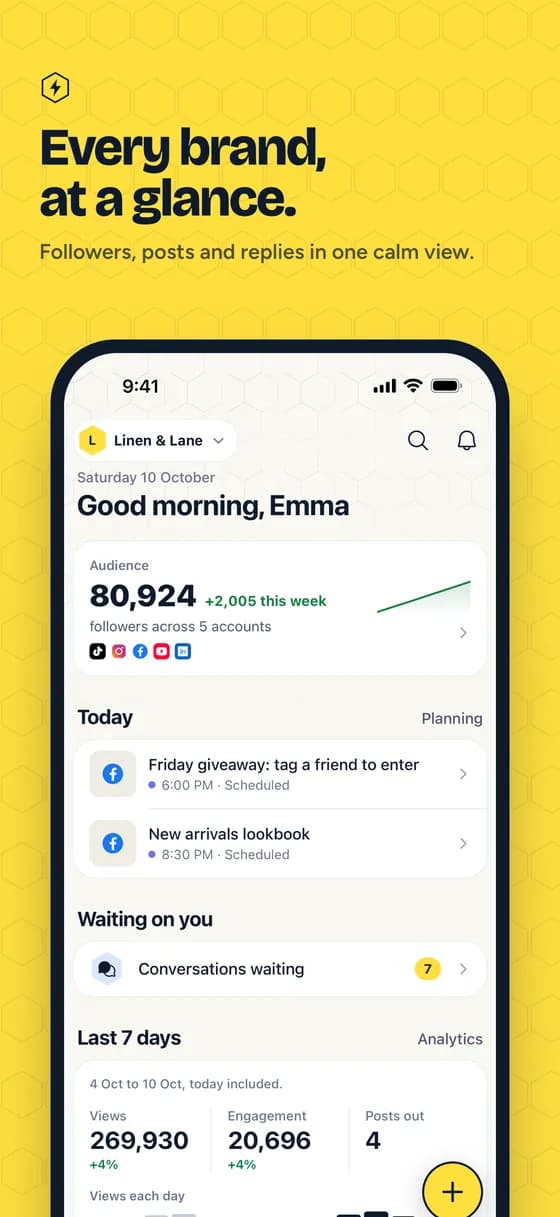
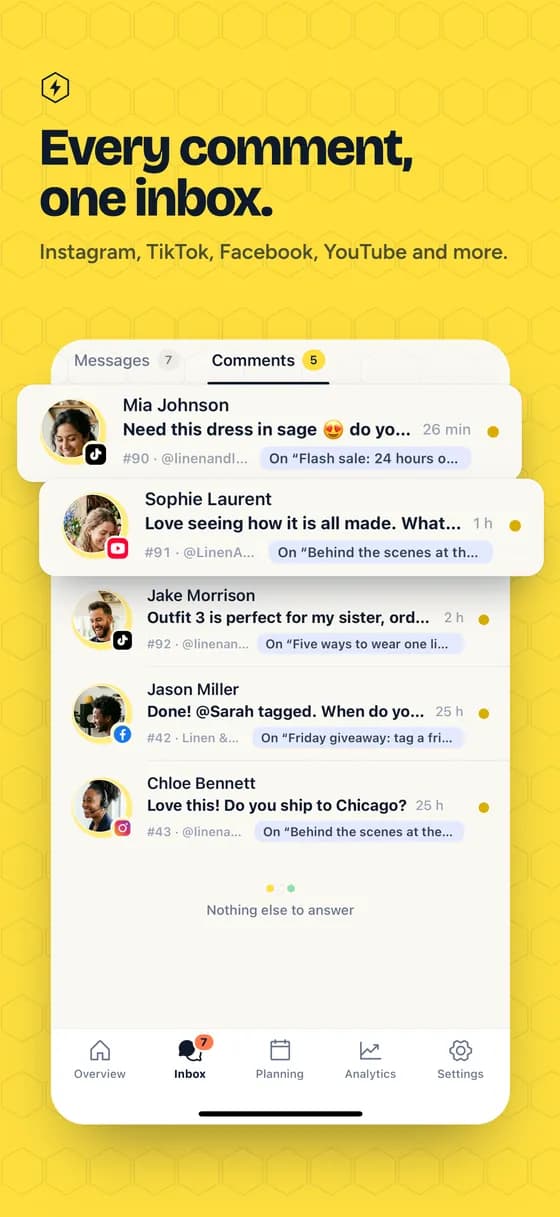
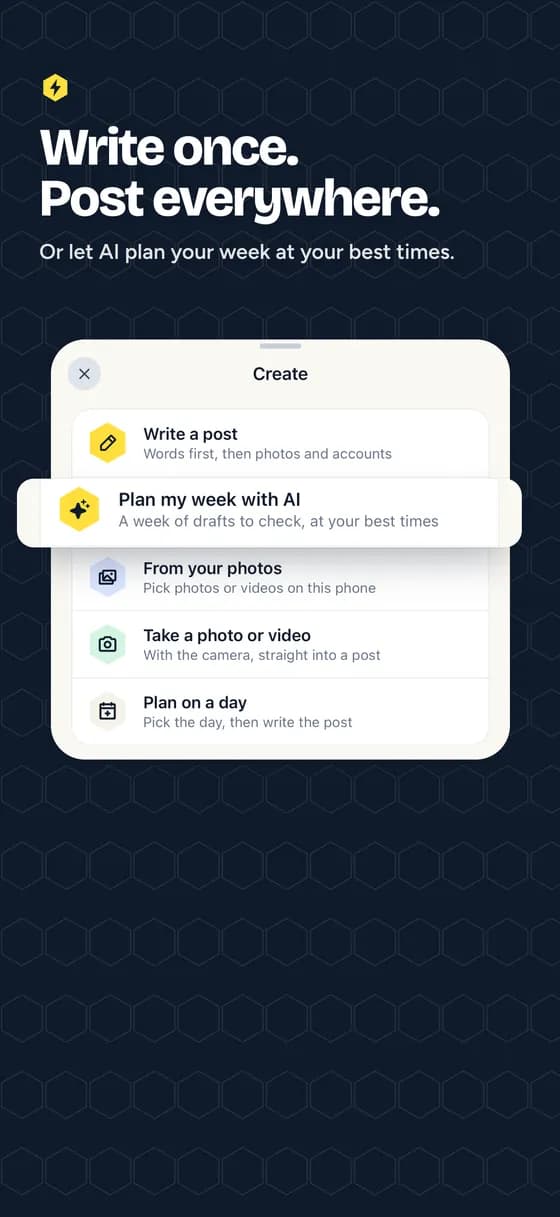
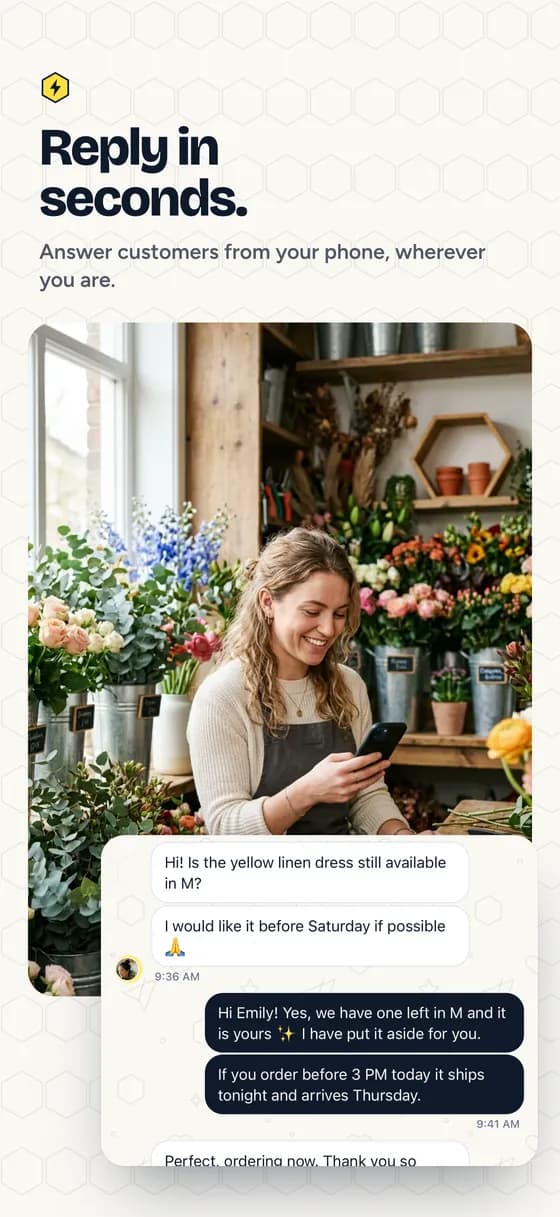
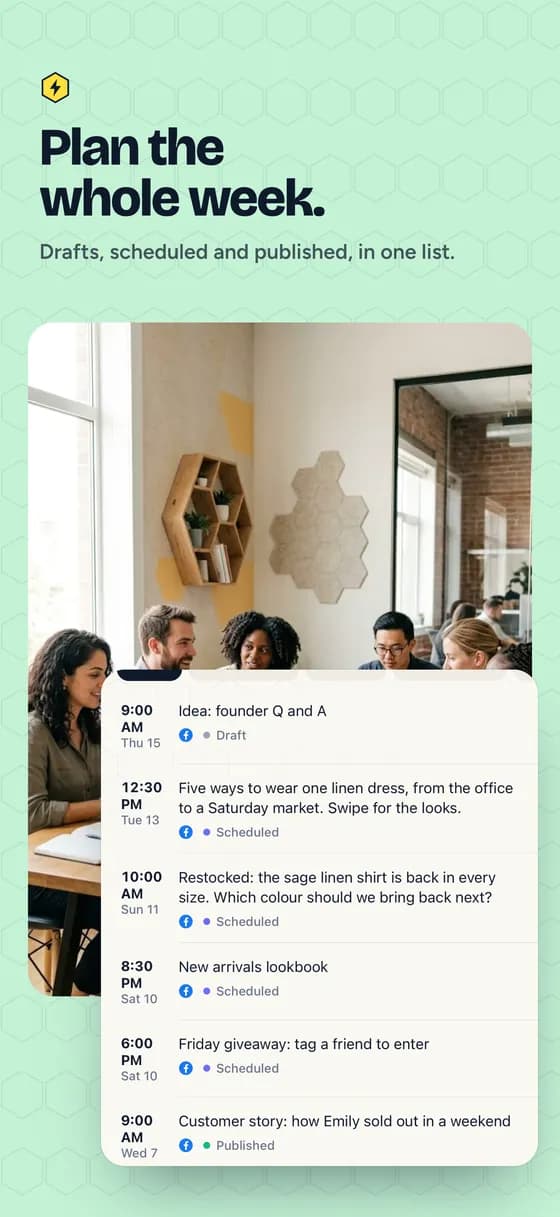
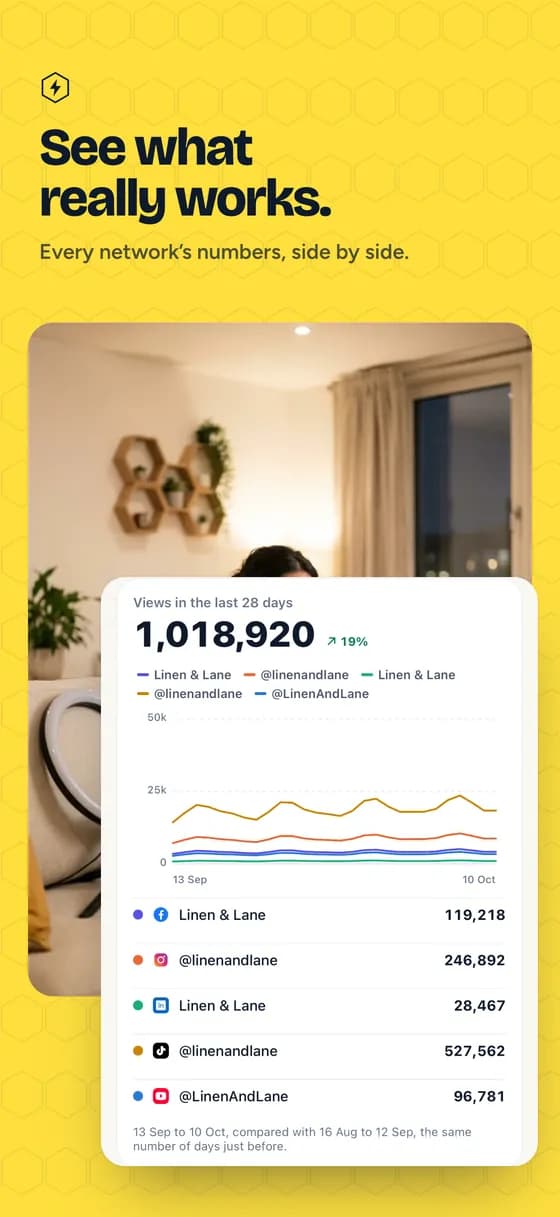
Screens from the app with a demo brand. The people and numbers are made up.
Connected where your audience is
- Facebook Pages
- TikTok
- X (Twitter)
- YouTube
- Threads
- Bluesky
- Mastodon
- Telegram
- Google Business Profile
- Twitch

And where your team already works
Send scheduled messages to Discord, Slack and Teams channels on the Agency plan, answer WhatsApp in the shared inbox, plan posts from Claude or ChatGPT, and send events to Zapier, Make or n8n on Pro.



Made for every team that talks to people
Creators and newsrooms, shops and restaurants, banks and microfinance, agencies, support and customer care teams, companies in many countries, schools and NGOs. Whatever your size, find the page that sounds like you.
All use cases
Built so your team, whatever its size, runs every brand it looks after without dropping a post or a customer
What your team does here
Four things in one workspace, with the plan each starts on.
- Social media
- Plan on one calendar, approve in steps with clients, publish to every connected network, and see the numbers in reports with Enza’s summaries. Listening, reviews, paid ads and employee advocacy come with Pro.
- Support
- Every comment, message, chat, WhatsApp message and email becomes a ticket with service targets, routing, processes and a help centre. The help centre and website chat on every plan, comment tickets from Starter, with the full desk on Pro.
- Your website
- A live chat on your site, free on every plan, and cookieless analytics that show which post brought each visit, chat and sale, from Starter.
- Enza, Hivenza’s AI
- Works beside your team: a briefing every Monday, why each post did well or not, a week of posts from a photo, an article, a podcast or a video, your news written for every network from one line, and what you ask in your own words, once you confirm. As the AI agent, she answers chats day and night from your own content. Free and Starter: 50 AI conversations in all; Pro and up: monthly AI credits.
And the rest of the hive
The tools agencies ask for once the basics are covered.
Posting queues
Fill time slots once; new posts take the next free one.
Competitor tracking
Rival accounts beside your own, every day.
AI assistants
Draft and schedule from Claude or ChatGPT.
White-label reports
Your agency's name and colours on every PDF.
Bulk scheduling
A month of posts from one spreadsheet.
Media library
Folders, tags, crops for each network.
Activity log
Who changed what, and when.
Roles and single sign-on
Your own roles, approvals, and sign-in through your company.
Enterprise
For banks, telecoms and companies that buy through procurement
Everything in Agency, with what a security review and a purchasing team ask for. Start with a pilot on one real team, then sign a yearly contract.
Custom pricing
A price agreed with you, for your team and contract.
Security pack and DPA
Our security answers, a data processing agreement and the sub-processors on file.
Single sign-on and SCIM
SAML, Entra, Okta or Google Workspace; people added and removed by your directory.
Enterprise controls
Legal holds, retention rules, a complaints register and masked customer details.
WhatsApp calls
Customers call your WhatsApp number and the team answers in the inbox.
A named contact
A person at Hivenza, with an answer time written into your contract.
Prices that fit every team
Start free with one brand. Upgrade when you need more brands and people, the support desk or single sign-on, with local prices in many countries.
Questions, answered
Who can use Hivenza?
Any team that manages social accounts or answers customers, for one brand or for many. Create an account and you get your own workspace; invite your teammates and choose what each of them can do. Nobody outside your workspace can see its brands, accounts or posts.
Which platforms can it publish to?
Facebook Pages, Instagram professional accounts, Threads, Bluesky, LinkedIn profiles and Company Pages, YouTube channels, TikTok, X, Telegram channels and groups, Pinterest boards and Google Business Profiles: feed posts, photo albums, videos, carousels, reels and stories, depending on what each network takes. On the Agency plan it also posts to Discord, Slack and Microsoft Teams channels. Twitch channels connect too, for their numbers, stream chat in the inbox, and the stream title, category and schedule, but nothing is posted there: Twitch has no video upload for apps.
Does my Instagram account need anything special?
It has to be a Business or Creator account that is linked to a Facebook Page. That is a requirement of Instagram's publishing API.
What happens if a post fails to publish?
Temporary problems such as rate limits are retried automatically. Anything that needs a person, like a caption that is too long or a connection that expired, is reported in the app and by email, and can be fixed and retried in one click.
How are my accounts kept safe?
Access tokens are encrypted before they are stored and never reach the browser. Media lives in a private bucket and is only shared through short-lived links.
How do I pay?
By card anywhere, or with Mobile Money where it is available, for one, three, six or twelve months; cards can also renew automatically. Prices are in local currency across Africa, the euro area and the UK, and in US dollars everywhere else. Pick a plan in Settings → Plan and it switches on as soon as the payment is confirmed. If a renewal is late, the plan keeps working for 7 more days.
Can I post from Claude or ChatGPT?
Yes. Connect Hivenza to Claude, ChatGPT or another AI assistant in Settings → AI assistants, then ask it to write and schedule posts, or to tell you how last month went. It works as you, with your roles, approvals and plan limits, and everything it does shows in your activity log.
Can Hivenza answer chats on my website?
Yes. On every plan, Free included, add the website chat to any site with one line of code and answer it from the same inbox as WhatsApp, Instagram and Messenger. Chatbot menus on Pro answer common questions, and an AI agent (Free and Starter: 50 AI conversations in all; Pro and up: monthly AI credits) can answer chats day and night from your own knowledge (files, websites, your words and the help centre), look things up and act in your systems through procedures you write, and hand over to a person when it can't help.
Can Hivenza be our support desk?
Yes. Every conversation, from a comment or a WhatsApp message to a website chat or an email to your support address, is a numbered ticket with a state, a priority, a type and an owner. Macros, side conversations, customer ratings and support analytics are part of the desk. Pro adds teams with skills and capacity routing, service targets in your business hours, workflows, quality checks on every conversation, custom ticket fields, and the customer's orders and account from Shopify, WooCommerce or your own system beside each ticket. Agency adds HubSpot and Salesforce sync and a sandbox; Enterprise adds single sign-on, user provisioning, supervisor tools and WhatsApp calls.
Is there a referral program?
Yes. Share your invite link from Hivenza: friends who sign up with it get 20% off their first plan, and you get a free month for each one who subscribes, up to 12 a year.
How do I sign in?
With your email and password, or with Google. Invited to someone's workspace? Sign in or sign up with the address the invitation went to and it will be waiting for you.
Your posts and your customers, in one hive from today